Azure Logo or Badge with Text Effect: A Customizable Design Asset
As a designer or brand strategist, you understand the power of a strong visual anchor. It’s the difference between a forgettable post and one that stops the scroll. The Azure Logo or Badge with Text Effect is more than just a template; it's a versatile design asset built for Adobe Illustrator that provides a professional, polished look without the hours of manual construction. It’s crafted for those who need high-impact graphics quickly, whether you’re building a brand identity from scratch or refreshing a social media campaign.
Visual Style and Practical Appeal
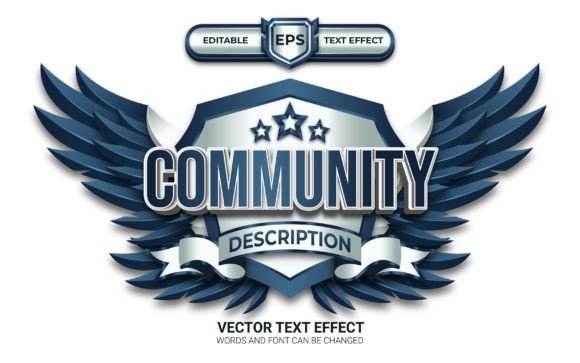
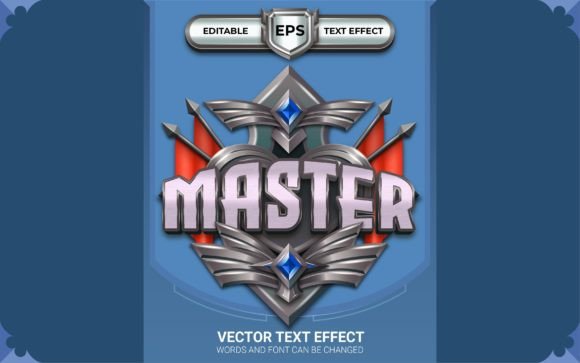
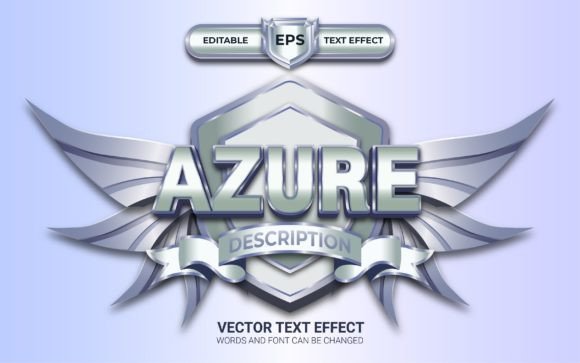
At its core, this asset presents a modern, structured badge aesthetic combined with a dynamic text effect. The "Azure" style suggests a clean, trustworthy, and often digital-first personality, making it adaptable across various industries. The text effect itself is designed to mimic a premium font treatment, giving your typography depth and dimension that flat text simply cannot achieve. It operates in RGB color mode, ensuring vibrant colors that translate perfectly to screens, which is essential for today's digital-first marketing environment. The visual hierarchy is immediately established, drawing the eye to your core message through the interplay of shape and styled typography.
The true strength of the Azure Logo or Badge with Text Effect lies in its complete editability. I designed it specifically so that every element is customizable. You are not locked into a specific typeface. The effect looks good on any type of font you choose to apply, whether you prefer a bold sans serif font for clarity or a sophisticated serif font for tradition. This flexibility allows you to maintain perfect consistency with existing brand guidelines. You can adjust colors, scale elements, and modify the text to fit any context, from a small web favicon to a large-format print poster. It’s a practical tool that respects the designer's need for control.
Strategic Applications Across Media
Consider how this asset influences your workflow and final output. For social media graphics, the badge format is inherently shareable and recognizable. Use it to create consistent Instagram Story highlights, Twitter headers, or Facebook event banners. The Azure Logo or Badge with Text Effect ensures your promotions look cohesive and professional, which directly impacts audience engagement and brand perception. When your graphics look polished, your audience perceives your brand as more trustworthy and established.
In the realm of editorial design and publication promotions, this effect shines. Imagine a magazine cover feature, a flyer for a local event, or a poster for a workshop. The badge effect creates a focal point that organizes information effectively, aiding in visual hierarchy. It’s an excellent choice for packaging design as well, where a distinctive logo or badge can differentiate your product on a crowded shelf. The included AI and EPS files ensure compatibility with professional print workflows, maintaining quality from screen to paper.
For entrepreneurs and small business owners, this asset is a gateway to professional branding without the overhead of a full design agency. You can use it to create a temporary or even a primary logo mark, develop merchandise graphics, or design event materials. The 100% free font used in the help file means you can get started immediately without worrying about additional licensing costs for the demonstration typography. It’s a practical entry point into creating a cohesive brand identity.
Integrating the Asset into Your Design Process
When you download the Azure Logo or Badge with Text Effect, you receive a clean, organized package: an Adobe Illustrator file, an EPS file for broader compatibility, and a simple help file. This structure is designed for efficiency. The first step in using it effectively is to evaluate your project’s needs. Ask yourself: Does this style align with my brand’s personality? Is the badge format suitable for the space I have available?
Next, focus on font pairing. While the effect works with any font, thoughtful pairing enhances the overall design. If your main display font is a strong, modern sans serif, consider a clean, readable body copy font to create contrast. Test your chosen typeface within the template. Does it maintain legibility at smaller sizes? Does the text effect complement its inherent style? The goal is to create a harmonious relationship between the styled typography and your supporting content.
Finally, leverage the customization options to ensure brand consistency. Use your brand’s exact color codes in the RGB palette. Adjust the composition to fit your layout grids. The Azure Logo or Badge with Text Effect